Inside your network. Air-gapped.
Outside
- AI services
- Package registries
- Update servers
No connection.
A drawing of one installation inside your network. A planner's browser reaches the entry over TLS. The entry leads to the planner app and to sign-in. The app calls the API. The API calls sign-in, the policy engine, the database and the model gateway. Sign-in keeps its own data in the database. Only the model gateway reaches the model server. The policy engine and the model server have no way out. The installation reaches your own systems only at the addresses and ports you list. AI services, package registries and update servers outside your network cannot be reached.
Where it runs
- Delivery
- One signed bundle: every container image, the chart and the installer.
- Check before install
- Offline, with the bundle's own script: the release key's fingerprint, the signature and the SHA-256 of every file.
- Platform
- Your Kubernetes cluster, or one machine with the Kubernetes that comes in the bundle.
- Availability
- Three machines form a cluster that keeps running when one is lost.
- Connections
- Refused unless named. Each allowed connection is set by part, port and direction.
- To the outside
- None. No AI service, package registry or update server can be reached.
- Encryption in transit
- TLS 1.2 or newer at the entry and between all parts, with your certificate authority.
- Updates
- The next signed bundle, installed the same way, after a backup. Rollback with the bundle's own tool.
- Forward sites
- One small machine. It exchanges signed, encrypted bundles by network or removable media.
Models
- Weights
- Open-weight models under the MIT licence, on your own storage.
- Loading
- From the installation's own volume, checked against SHA-256 sums. Nothing is downloaded.
- Hardware
- A GPU model server, or a smaller model for sites without GPUs.
- Model calls
- Each call is logged: who, which model, when and the outcome. Never the text of the prompt.
- Output
- Treated as data. Code validates it before a planner sees it.
- Languages
- The planner assistant answers in English, German and French.
Sign-in and access
- Sign-in
- Smart card (X.509) with a required revocation check, or password with a one-time code or a security key.
- Your identity provider
- SAML 2.0 to a national identity provider. SCIM 2.0 from your directory.
- Session
- OpenID Connect with PKCE. Tokens stay in an encrypted cookie that scripts cannot read.
- Roles
- Planner, approver and commander for each workspace. Auditor and administrator for the installation.
- Every request
- Decided by the policy engine. No decision means no access.
Labels and need-to-know
- Label
- Level, releasability, caveats and owner nation on every row.
- Schemes
- NATO, EU and German national.
- Need-to-know
- Enforced in the database. A row a person may not see answers as not found.
- Markings
- A banner and portion markings on every screen, export, briefing and email, computed from the content.
Release
2
approvals before a plan is released. Neither comes from the person who asked.
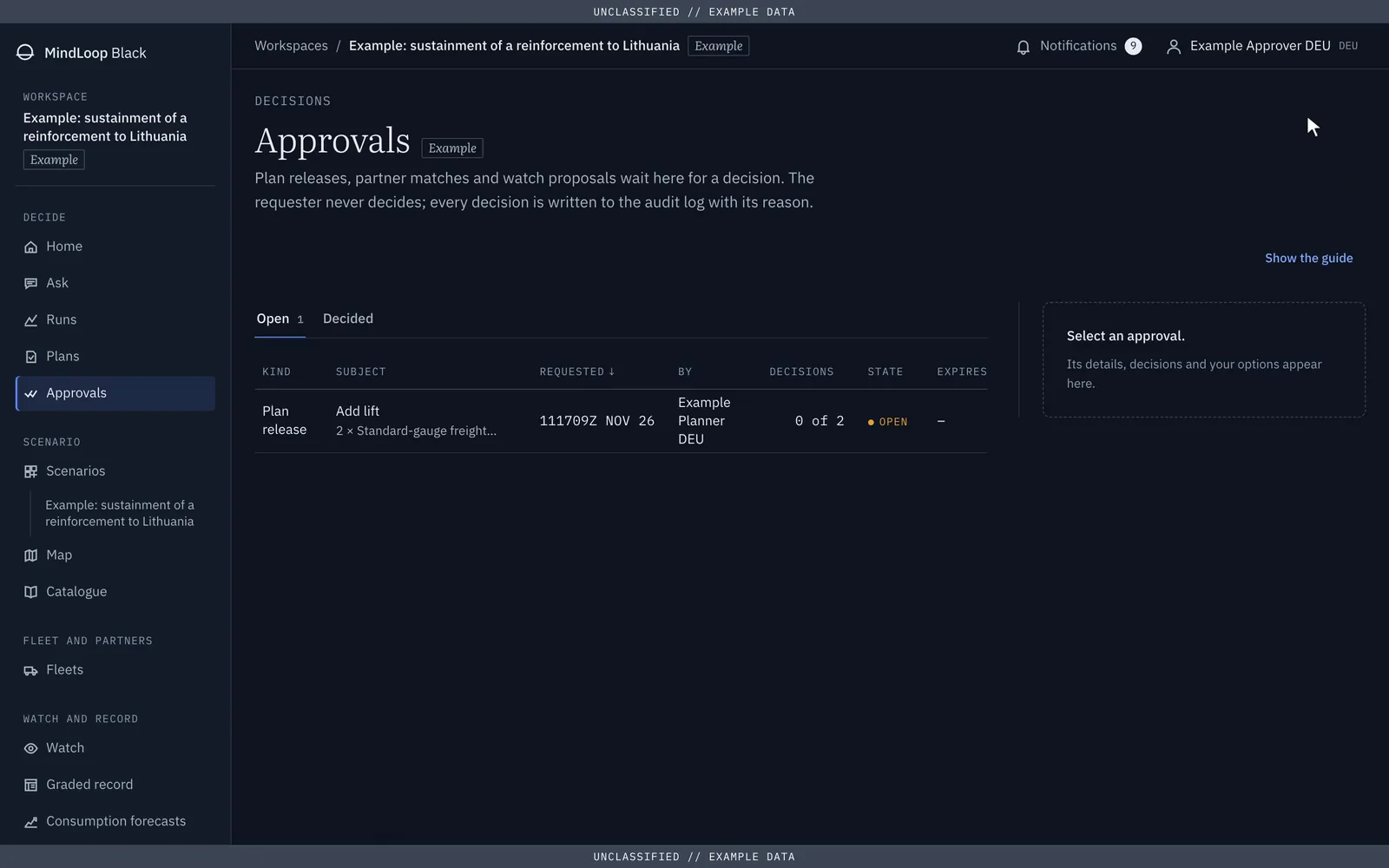
Demonstration scenario. Fictional data.
- Who approves
- Approvers and commanders of the workspace. Administrators and auditors cannot.
- Reason
- Each approval carries a stated reason, written to the audit log.
Audit
- Log
- Every action, append-only and hash-chained. Each entry carries the hash of the one before.
- Verification
- The auditor checks the whole chain in the app and exports it as JSON Lines.
- Your SIEM
- Syslog over TLS, as JSON Lines, CEF or ECS. New entries leave every minute.
- Checkpoints
- The head of the chain is signed every hour. A write-once share can keep the copies.
- Personal data
- Kept outside the chain, so erasure does not break it.

Links and formats
- Map
- APP-6 symbols, NVG export.
- Logistics data
- SAP-format imports, LOGFAS mapping, APP-11 messages.
- Exercises
- C2SIM and HLA links.
- Mission networks
- An FMN conformity self-check.
- Partner installations
- Bundles signed with Ed25519 and encrypted to the receiving installation (X25519, AES-256-GCM).
- Briefings
- PPTX and PDF, with markings.
- Languages
- The app in English and German.
This website
To report a weakness of this website, write to ops@mindloop.studio and say what you found. Please send nothing classified.